

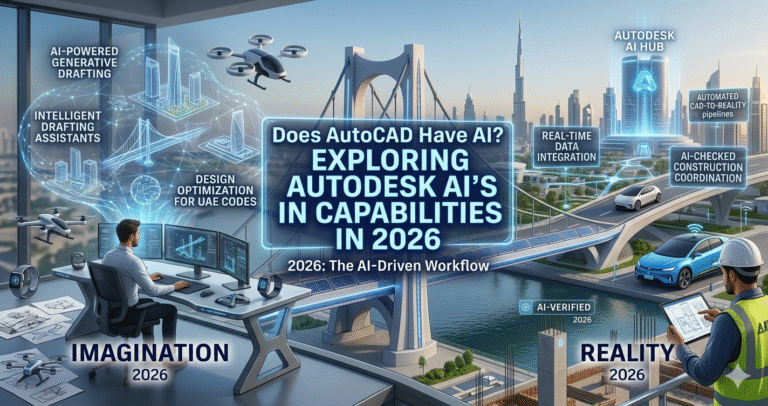
Imagine a world where designing complex architectural plans or intricate machinery becomes as intuitive as having a conversation. A world where your software anticipates your needs, offering solutions before you even frame your questions. This isn’t a scene from a distant future; it’s the reality being crafted in today’s fast-evolving technological landscape. The powerhouse behind countless engineering and architectural marvels, AutoCAD, is at the forefront of this transformation. But the question many are now asking is: does AutoCAD have AI features that are propelling its capabilities to new heights?
For decades, AutoCAD has been the cornerstone of design software, empowering professionals with precise tools to bring their creative visions to life. However, as industries undergo digital metamorphoses, the integration of artificial intelligence (AI) into these tools promises not just incremental improvements, but a seismic shift in how design work is approached. In this blog post, we delve into AutoCAD’s journey into AI, exploring how these advanced features might revolutionize workflows and redefine what’s possible in design. Discover how AI-powered enhancements could be the next leap forward in unlocking efficiency and creativity in your projects.
The evolution of AutoCAD represents one of the most remarkable stories in software history, spanning over four decades of continuous innovation. Launched in 1982 by Autodesk as one of the first CAD programs for personal computers, AutoCAD began as a simple 2D drafting tool that replaced manual drawing boards. Early versions focused on basic commands for lines, arcs, and circles, but even then, it revolutionized architecture, engineering, and construction by enabling digital precision and easy modifications.
Through the 1990s and 2000s, AutoCAD expanded into 3D modeling, introduced parametric constraints, dynamic blocks, and industry-specific toolsets for architecture, mechanical, electrical, and more. The shift to subscription models in the 2010s brought cloud integration, mobile access, and real-time collaboration via Autodesk Docs. But the most transformative phase began in the mid-2020s with the deliberate incorporation of artificial intelligence under the Autodesk AI umbrella.
Starting with AutoCAD 2024 and accelerating in 2025 and 2026, Autodesk embedded machine learning and AI algorithms to automate repetitive tasks and provide intelligent insights. Features like Smart Blocks (introduced in 2024 and significantly enhanced in 2025–2026) use AI to learn placement patterns, suggest replacements, and detect/convert geometry into reusable blocks. Markup Import and Assist leverage machine learning to interpret handwritten notes from PDFs and suggest precise edits. The Autodesk Assistant evolved into a conversational AI interface for troubleshooting and guidance.
By 2026, AutoCAD 2026 delivers up to 11x faster file opens, 4x quicker startups, and deeper AI-driven automations like enhanced Smart Blocks Detect and Convert (Tech Preview), Activity Insights for team change tracking, and Macro Advisor suggestions. These advancements mark a shift from rule-based software to context-aware intelligence, reducing manual effort while preserving user control. AI in AutoCAD now analyzes drawing context, predicts user intent, and optimizes workflows—solidifying its role as an indispensable tool for modern professionals facing complex, deadline-driven projects.
This evolution underscores Autodesk’s commitment to blending trusted CAD precision with cutting-edge AI, ensuring AutoCAD remains relevant in an era of generative design, sustainability demands, and collaborative global teams. The integration of AI doesn’t replace designers but amplifies their capabilities, allowing focus on innovation rather than tedium.
Artificial intelligence in AutoCAD refers to Autodesk’s strategic use of machine learning, neural networks, and predictive algorithms embedded directly into the software. Unlike standalone generative tools, AutoCAD’s AI augments core drafting without requiring external plugins or major workflow changes. Autodesk AI powers features that learn from user behavior, drawing content, and patterns across millions of designs to deliver context-aware assistance.
At its core, AutoCAD AI falls into three pillars: analysis (insights from data), automation (repetitive task handling), and augmentation (enhancing human decision-making). For instance, machine learning models trained on vast datasets identify repeating geometry for block conversion or interpret markup intent. The system respects data privacy—processing occurs locally where possible or via secure cloud for advanced features.
Key to understanding AutoCAD AI is recognizing it’s “narrow” or task-specific intelligence, not general AI. It excels at CAD-specific problems: object recognition in cluttered drawings, command prediction based on history, or markup-to-action translation. In 2026, this includes enhanced Smart Blocks using Autodesk AI for object detection and conversion, where the software scans drawings to group similar elements into blocks automatically.
Autodesk Assistant provides conversational support—users ask natural-language questions like “How do I align these objects?” and receive step-by-step guidance or tool suggestions. Markup Assist uses AI to detect instructions like “MOVE” or “DELETE” in imported markups, applying changes intelligently. Activity Insights (My Insights evolution) tracks changes, session times, and object modifications for better team awareness.
These capabilities build on years of incremental AI integration, starting with basic pattern recognition and evolving to predictive, context-sensitive tools. The result? Designers spend less time on grunt work and more on creative problem-solving, error reduction, and project quality. AutoCAD’s AI is trusted, transparent, and user-controlled—always offering suggestions rather than forcing outcomes—making it accessible for beginners while powerful for experts in architecture, engineering, and manufacturing.
Integrating AI into AutoCAD delivers multifaceted benefits that directly address pain points in traditional CAD workflows. First and foremost is dramatic productivity gains. Features like Smart Blocks automate block management—Placement suggests positions based on learned patterns, Replacement offers intelligent swaps with similar blocks, and Detect and Convert (enhanced in 2026) identifies and groups geometry, saving hours on cleanup and standardization.
Error reduction is another major advantage. AI-powered Markup Assist imports PDF markups and suggests accurate edits, minimizing misinterpretation of redlines. Autodesk Assistant provides instant, context-aware help, reducing research time and frustration during complex tasks. Precision improves as AI analyzes designs for inconsistencies, suggests optimizations, and automates dimensioning or annotation where patterns exist.
Collaboration sees huge boosts through Activity Insights, which logs changes, highlights modifications since last access, and provides team-wide visibility. Real-time sharing via Autodesk Docs integrates seamlessly, with AI helping resolve conflicts or summarize updates. For sustainability-focused projects, AI insights encourage efficient material use and design iterations.
Creativity flourishes when tedium decreases—designers explore more variants, experiment boldly, and focus on innovation. Cost savings emerge from faster time-to-completion, fewer revisions, and reduced training needs thanks to intuitive AI guidance. In 2026, with up to 11x faster performance combined with AI automations, teams handle larger, more complex projects without proportional resource increases.
Overall, AI makes AutoCAD more inclusive—empowering junior users with expert-like suggestions while giving veterans supercharged tools. The integration aligns with industry shifts toward data-driven, intelligent design, positioning AutoCAD users ahead in competitive fields like AEC and manufacturing.
AI-driven automation transforms AutoCAD from a manual drafting tool into an intelligent partner. Smart Blocks exemplify this: Placement learns insertion patterns and auto-suggests locations, reducing clicks. Search and Convert scans for matching objects/text, converting them into blocks with AI recommendations from libraries or recent usage.
Detect and Convert (Tech Preview in 2026) uses machine learning to recognize similar geometry across drawings—even imported ones—grouping and proposing block definitions. This automates cleanup in legacy or collaborative files, ensuring consistency.
Markup Import and Assist automate redline incorporation: AI detects PDF annotations, interprets commands (e.g., “COPY wall here”), and applies changes or suggests edits. Macro Advisor analyzes actions and proposes reusable macros for repetitive sequences.
Autodesk Assistant automates support—conversational queries yield tailored solutions, tutorials, or troubleshooting steps. Activity Insights automates change tracking, providing summaries of modifications, session stats, and object deltas for efficient reviews.
These automations create fluid workflows: import marked-up PDFs → AI suggests/assists edits → clean with Smart Blocks → track via Insights. Result? Reduced manual repetition, faster iterations, and fewer errors, allowing focus on high-value design decisions in architecture, MEP, or product development.
AI elevates precision in AutoCAD by minimizing human error and enforcing consistency. Smart Blocks ensure standardized components—Replacement swaps variants intelligently while preserving attributes and layers. Detect and Convert groups imprecise geometry into exact blocks, eliminating drift in repeated elements.
Markup Assist translates ambiguous hand-drawn notes into precise commands, applying moves, copies, or deletes accurately. Autodesk Assistant offers context-specific guidance for complex constraints or tolerances, reducing misapplications.
Object detection in Smart Blocks uses machine learning for accurate recognition in noisy drawings, improving block libraries and reuse. Activity Insights highlights unintended changes, enabling quick corrections. Combined with AutoCAD’s core snapping and parametric tools, AI ensures designs meet exact specifications, vital for manufacturing tolerances or building code compliance.
In practice, this means fewer revision cycles, higher-quality deliverables, and greater confidence in final outputs—whether structural plans or detailed assemblies.
AutoCAD’s AI assistance tools form a suite of intelligent helpers. Autodesk Assistant stands out as a conversational AI—query “How to fillet these polylines?” for instant steps or resources. It learns context for personalized responses.
Smart Blocks family includes Placement (predictive insertion), Replacement (smart swaps), Search and Convert (pattern-based organization), and Detect and Convert (automatic recognition/conversion). Markup Import and Assist bridge paper/digital workflows by auto-importing and suggesting edits.
My Insights/Activity Insights provide dashboard-like overviews of changes, aiding decision-making. Macro Advisor suggests automation scripts from usage patterns. These tools assist without overriding control—users accept/reject suggestions, maintaining creative authority while gaining speed and smarts.
For architects/engineers, this means faster detailing, better collaboration, and exploration of innovative solutions in less time.
Adopting AI in AutoCAD faces hurdles like learning curves, data privacy concerns, and resistance to change. Autodesk addresses these thoughtfully: features are optional and intuitive—Smart Blocks activate via familiar commands (e.g., BCONVERT), with tooltips and previews.
Privacy is prioritized—local processing for many tasks, secure cloud opt-in for advanced. Training resources via Autodesk Assistant and tutorials ease onboarding. Compatibility remains strong; AI enhances legacy files without breaking them.
Challenges like over-reliance are mitigated by user control—AI suggests, doesn’t dictate. Performance is optimized (11x faster opens in 2026), ensuring no slowdowns. Teams overcome adoption by starting small—pilot Markup Assist on redlines or Smart Blocks on cleanup—building confidence gradually.
With proper training and incremental integration, organizations realize quick ROI through efficiency gains, making AI a natural evolution rather than disruption.
AutoCAD’s AI trajectory points to deeper integration. Expect expanded agentic capabilities—Autodesk Assistant evolving into cross-product orchestration, handling multi-tool workflows. Neural CAD previews suggest future generative geometry creation directly in drawings.
Predictive analytics will advance—AI forecasting design issues, suggesting sustainability optimizations, or simulating real-world performance. Greater personalization via user-specific learning models. Tighter fusion with Autodesk ecosystem (Forma, Fusion) for seamless BIM-to-CAD transitions.
Trends include ethical/trusted AI (transparency, bias mitigation), edge computing for offline power, and collaborative AI agents assisting teams in real time. AutoCAD will likely automate 80–90% of routine tasks, freeing designers for high-level innovation in sustainable, efficient builds.
AutoCAD definitively has AI features in 2026, and they are game-changing. From Smart Blocks automating content reuse to Autodesk Assistant providing conversational guidance and Markup Assist streamlining reviews, Autodesk AI boosts efficiency, precision, and creativity without replacing human expertise.
Harnessing these tools unlocks unprecedented innovation—faster iterations, error-free deliverables, and collaborative synergy. As AI evolves, AutoCAD users will lead in intelligent, sustainable design. Embrace these capabilities today to shape tomorrow’s masterpieces.
By offloading repetitive tasks to AI, designers reclaim time for exploration. Smart Blocks enable rapid prototyping of variations; Markup Assist accelerates feedback loops; Assistant resolves blocks instantly. This shift fosters bolder ideas, iterative experimentation, and breakthrough solutions in architecture, engineering, and beyond. AI in AutoCAD isn’t just efficiency—it’s the catalyst for true creative freedom in a demanding world.