Our InDesign Course focuses on practical, portfolio-building projects taught by working industry professionals in Dubai.
Adobe InDesign Professional Course is a practical course in the layout and graphic design publishing software. Students of this course will learn how to navigate through every single process of InDesign when creating brochures, magazines or eBooks, among others.







The Adobe InDesign Professional Course is intended to help you obtain detailed knowledge about this indispensable tool in the sphere of digital press. Whether you are a graphic designer, marketer, or just love design, this course will enable you to design professional layouts suited for print media and the web. Throughout this course you’ll discover how to design every thing from a multi-page document to an animated PDF and an eBook. The Adobe InDesign training covers such competencies as typography, color management, image manipulation as well as layout of the structure.
This course is perfect for anyone with an interest in specializing in the Adobe InDesign Professional software for desktop publishing. It is very popular with graphic designers, publishers and marketers when they are engaging in the designing of professional documents and publications. In this course, you will progress from the basics of the software to a comfortable and reasonably competent level so you are confident to use the software on a range of publishing projects.
Here you will find information on setting up projects, characters and images, creating more than a single page document and comparison of other features such as interactive PDFs and eBooks. A great opportunity to effectively use typography tools, work with the grid and column, and use layout skills for print and digital media. As you advance, you will complete projects that work with actual clients, which is useful when listing your project ready to complete any project that needs Adobe InDesign training.
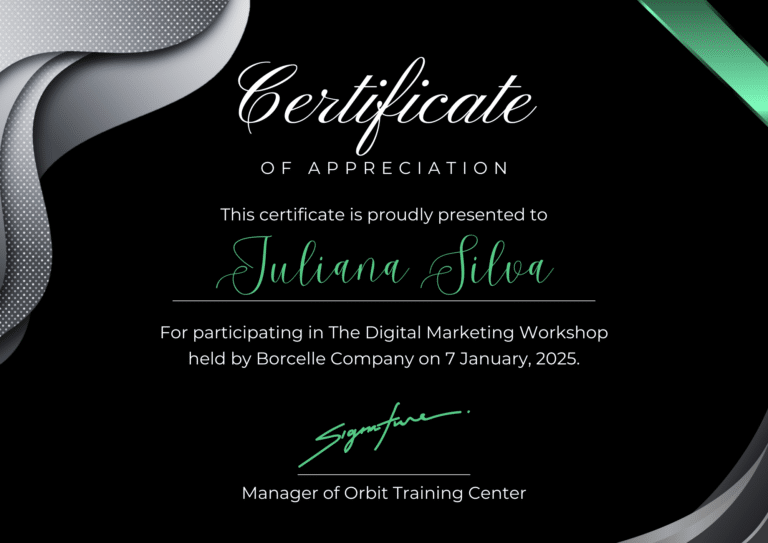
It is flexible, providing not only an online Adobe InDesign course but also Adobe InDesign classes in Dubai. If you are a person who loves online classes or if you just want the disciplined style of attending classes in person, you will find the Professional Adobe InDesign online classes ideal for you. On successful completion of the course, you will be issued with a professional certificate in Adobe InDesign to enhance your profession in publishing or graphic design.

I am an experienced Computer Coding Educator, committed to teaching the newest programming languages and frameworks from the most recent. I am well versed and expertise in programming languages such as Python, PHP, Laravel, HTML, CSS, and JavaScript both so far as front end and backend technologies are concerned. I have learned these languages deepl, and their practical applications, thus have formulated, and delivers training programs which are tailored to meet specific requirements of individuals and organizations.
My teaching approach is highly interactive, keeping students in a participative mood through exercises, lectures, and real-world applications that help them to understand the concept essentially. I am proud for my skill to explain tricky ideas instead of unsettling them as well as devotion to build a trustful environment. This way, students would not only acquire the skills essential to modern industries, but also build the communication skills useful for a productive and fulfilling career life. Students from a previous class speaks highly of my skills in breaking down difficult concept into easy to understand parts which makes me a sought-after trainer of developers’ community.
| Day | Timing | Classes Type | Class Hour’s |
|---|---|---|---|
| Monday | 10:00 AM – 09:00 PM | Batches | 2 Hours Session |
| Wednesday | 12:00 PM – 09:00 PM | One to one | 2 Hours Session |
| Thursday | 10:00 AM – 09:00 PM | One to one | 2 Hours Session |
| Friday | 12:00 PM – 09:00 PM | Private | 2 Hours Session |
| Saturday | 10:00 AM – 09:00 PM | Batches | 2 Hours Session |
| Sunday | 10:00 AM – 09:00 PM | One to one | 2 Hours Session |
The Adobe InDesign Professional Course at Orbit Training Center is a comprehensive course that aims to provide you with complete solution in relation to Adobe’s dominant DTP solution. Regardless of being a beginner in designing or supplementing previous knowledge, this course contains all necessary information to design a great print and digital media. It, introduces principles of creating documents and goes all the way to special features of working with text and images, as well as interactive content. In the course, you will discover how to create elegant layouts for brochures, magazines, advertisements, and eBooks. Adobe InDesign is one of the programs which is considered to be vital for every designer, marketer, and publisher worldwide. Through this Adobe InDesign training, you will be equipped with the knowledge relevant to all the aspects of InDesign such as master pages, grids, and interactive PDFs among others.
The design and publishing companies at Dubai are still expanding, and many companies are searching for competent employees in desktop publishing and graphic designers. The Adobe InDesign Professional course will greatly improve your employability in Dubai. InDesign is the best layout and publishing software whose use has spread across the advertising agencies, printing firms and publishing houses in the region. Getting certified in Adobe InDesign can therefore be an added advantage especially when looking for a job in the Dubai market.
Freelance designers and designers looking for permanent positions in their companies will also stand to gain a lot from this course. All the way from layout and basics up to Page Transitions, Forms, Interactive PDF s & eBooks included. It returns set of skills that are precious nowadays in Dubai’s modern design context. In this case, to become successful, you can efficiently look for jobs with agencies, publishing houses and media companies that are in search of efficient InDesign specialists.
Also, as the industry persists to grow and advance, you will be empowered to master the current and future typing tools to enhance your competienvenes in the design industry.
Adobe InDesign training is very beneficial to everyone that requires the knowledge and skills for a career in the publishing, graphic designing, or marketing fields. Adobe InDesign is a tool used mostly in graphic design for creating print production ready images, documents and designs. When you master this tool, have a better chance of standing out in the market as a design professional who multitask in both print media and digital media.
The Professional Adobe InDesign course has been structured to enable candidates to go from novice to proficient within the shortest time possible. You will understand how to work with text, images and layouts, design beautiful looking documents, and optimize your documents for both online and offline use. In addition, this course will provide overviews of typography, color, and composition, which are crucial for making high-quality designs.
Here are the key advantages of becoming a professional in Adobe InDesign:
While Adobe InDesign is a key tool for layout and publishing design, other software like Adobe Photoshop, Adobe Illustrator, and Adobe XD offer different features. Its important to understand the specific benefits and uses of Adobe InDesign in comparison to these other tools.
| Course | Key Features | Best for | Adobe InDesign |
|---|---|---|---|
| Graphic Designing Course | Overview of design principles, logo creation, image editing | General design skills | InDesign is more focused on layout & typography for print/digital media |
| Adobe Photoshop Course | Image editing, manipulation, and digital painting | Image-focused design tasks | InDesign focuses more on multi-page documents and layouts than image editing |
| Adobe Illustrator Course | Vector graphics, logo design, and illustrations | Logo creation, illustrations, branding | InDesign is better for handling multi-page projects and large documents |
| Adobe XD Course | UX/UI design, wireframing, prototyping | Web design, mobile apps | InDesign is not focused on UX/UI design but on print and digital publishing materials |
As shown, Adobe InDesign is primarily focused on the layout and publishing of documents, such as brochures, books, and magazines, while Adobe Photoshop and Illustrator are more focused on image editing and vector graphics. If you’re pursuing a career in publishing, marketing, or even eBook production, Adobe InDesign is the course that will provide you with the right set of skills.
Dubai’s publishing, advertising, and real estate marketing sectors continue to produce large volumes of print and digital layout work — brochures, investor decks, magazines, and eBooks — nearly all of it built in Adobe InDesign. A Junior Layout or Publishing Designer in Dubai earns AED 4,000–7,000 per month, while a DTP Specialist or Senior Layout Designer handling multi-page catalogues and annual reports earns AED 8,000–14,000.
The Orbit Adobe InDesign course runs across 25–30 hours of 2-hour sessions and covers master pages, grid-based layout, paragraph and character styles, image and text wrapping, and interactive PDF and eBook export — finishing with a multi-page brochure project built to print-ready CMYK specification.
Orbit’s certification is KHDA-aligned and recognised by UAE design agencies and publishing houses. The free demo session includes a live InDesign layout walkthrough and a Q&A on how the course applies to your specific publishing or marketing goals.
Adobe InDesign is the industry-standard desktop publishing and page layout software, built specifically for designing multi-page documents where structural consistency matters — brochures, magazines, books, annual reports, and catalogues. Its defining feature is the master page and style system: rather than formatting each page individually, a designer sets up master pages that define the recurring structure (margins, headers, page numbers) and paragraph and character styles that define text formatting, so a single style update instantly reformats every instance of that style throughout an entire document. This is the fundamental difference from tools like Photoshop or Illustrator, or template-based tools like Canva — InDesign is built around structured, scalable consistency across dozens or hundreds of pages, not single-page visual composition. It also handles text and image flow across pages intelligently, threading a long article automatically across multiple columns and pages, and exports directly to both print-ready PDF with correct color separations and bleed, and interactive digital formats like ePub and interactive PDF — making it the bridge between print and digital publishing workflows.
In professional practice, InDesign is used to design and produce any document where multiple pages need to look and feel like part of the same coherent publication. Publishing houses use it for books and magazines, where consistent typography, running headers, and page numbering across hundreds of pages would be unmanageable without a structured style system. Real estate and corporate marketing teams use it for investor decks, project brochures, and sales prospectuses — deliverables that need to look polished and professionally typeset rather than assembled quickly. Advertising agencies build multi-page campaign proposals and pitch decks in InDesign specifically because client-facing documents benefit from the same typographic precision publishing work requires. Beyond print, InDesign exports interactive PDFs and eBooks with clickable navigation, embedded video, and page transitions — a growing use case as Dubai companies shift investor and marketing materials toward digital-first distribution while still needing them to print correctly when a physical copy is required.
The course begins with master pages — the structural foundation of any InDesign document — before moving into grid-based layout principles that keep multi-page designs visually consistent and professional. From there, you’ll build paragraph and character styles, learning to format text once and apply it consistently across an entire document rather than manually formatting page by page, which is the habit that separates efficient InDesign work from frustrating, error-prone layout work. The curriculum covers image and text wrapping techniques for integrating photography and graphics cleanly into a layout, followed by interactive PDF and eBook export for digital distribution. Sessions run across 25–30 hours in 2-hour blocks, and the course finishes with a complete multi-page brochure project built to print-ready CMYK specification — covering cover design, table of contents, body layout, and back matter — so you leave with a portfolio piece that demonstrates the full structured-document workflow real publishing and marketing work actually requires. Because the entire course builds toward this one connected document rather than a series of unrelated single-page exercises, you also get practice at the part of layout design tutorials rarely cover well — revising a document’s style system midway through a project when a client requests a font or color change, and watching that single update propagate correctly across every page rather than needing to hunt down each instance manually.
Dubai’s publishing, advertising, and real estate marketing sectors continue to produce large volumes of print and digital layout work — brochures, investor decks, magazines, and eBooks — nearly all of it built in Adobe InDesign because no comparable tool handles multi-page structural consistency as reliably. Real estate developers in particular generate consistent demand: with AED 761 billion in 2024 real estate transactions, every active project needs an investor prospectus, sales brochure, or project fact sheet produced to a professional publishing standard, and these documents directly influence how a AED-multi-million project is perceived by buyers and investors. Corporate communications teams across Dubai’s larger companies rely on InDesign for annual reports and internal publications where layout quality reflects directly on brand credibility. As more of this content shifts toward digital-first distribution — interactive PDFs, eBooks, digital brochures — InDesign’s dual print-and-digital export capability positions trained professionals to handle both formats from a single source document, rather than needing separate tools or separate workflows for the print and digital versions of the same publication — a genuine efficiency advantage for marketing teams working under tight deadlines.
Most professionals enter the field as a Junior Layout or Publishing Designer (AED 4,000–7,000), producing and formatting documents under a senior designer’s direction while building fluency with master pages and style systems on real projects. With one to two years of experience managing increasingly complex documents — moving from single brochures to multi-section reports — the typical progression is into a DTP Specialist or Senior Layout Designer role (AED 8,000–14,000), handling multi-page catalogues, annual reports, and investor communications independently. Career paths from here often branch in two directions: some designers specialize deeper into publishing and editorial layout work for magazines and books, while others move toward marketing and brand roles where InDesign is one of several tools (alongside Illustrator and Photoshop) used to produce a company’s full range of marketing collateral. Freelance InDesign work is active in Dubai’s real estate and publishing sectors specifically, where developers and smaller publishers frequently outsource brochure and report design on a per-project basis rather than maintaining full-time in-house layout designers. Designers who build a reputation for handling large, complex documents reliably — a 100-page annual report with dozens of contributors, for instance — tend to command premium freelance rates precisely because that kind of document management skill is rarer in the market than general visual design ability alone, and it’s the specific skill senior clients ask about most directly when reviewing a freelancer’s past work.
Orbit’s InDesign course is taught by Karthikayan Balamurugan, a design and CAD trainer with 15 years of experience who has trained over 2,000 professionals across design disciplines at Orbit Training Centre. The course builds toward a single complete multi-page brochure project rather than disconnected exercises, so what you practice — master pages, style systems, image integration, print-ready export — mirrors the exact deliverable Dubai publishing houses, agencies, and marketing teams assign to junior and mid-level layout designers. The free demo session includes a live InDesign layout walkthrough and a Q&A on how the course applies to your specific publishing or marketing goals, giving you a genuine sense of the teaching pace before enrolling. Small batch sizes mean your master page and style setup gets reviewed directly rather than generic feedback, which matters because structural mistakes made early in a document compound significantly by the final page of a long publication. Orbit’s certification is KHDA-aligned and recognised by UAE design agencies and publishing houses, and post-training support includes continued material access and direct trainer queries for real project questions after the course ends.
Self-taught InDesign users, especially those coming from Word or Canva, tend to fall into the same trap: manually formatting text and adjusting layout page by page instead of building and applying paragraph and character styles, which works fine for a five-page document but becomes unmanageable and error-prone the moment a client requests a global font or color change across a fifty-page report. Other common problems include image resolution issues that only become visible at print time, text that overflows a frame invisibly because overset text warnings were ignored, and inconsistent master page application that creates subtle visual inconsistencies across a document’s sections. None of these are advanced problems — they’re structural habits that either get built correctly from the start or cause compounding rework later. Orbit’s course addresses this by requiring style-based formatting from the very first project rather than allowing manual formatting shortcuts, and by reviewing document structure — not just visual output — at each stage, so students build the same disciplined habits professional layout designers rely on for documents far longer and more complex than anything practiced in a typical self-guided tutorial series.
Whether you’re a marketing professional who needs to produce your own brochures and reports in-house, a graphic designer completing your Adobe toolkit alongside Photoshop and Illustrator, or someone entirely new to design pursuing a career in publishing or marketing collateral, the course is structured to start from your actual level. A free demo session is available before you commit — a live InDesign layout walkthrough and a direct conversation with the trainer about how the course maps to your specific goals. Given how consistently Dubai’s publishing, real estate marketing, and advertising sectors rely on InDesign for professional, print-ready document production, booking that demo is a practical first step toward a genuinely employable structured-layout skill set, and most students who attend it go on to book their preferred batch, in-person or online, within the same week.
Yes, anyone can join the InDesign course regardless of their design or publishing experience. The course is designed for beginners and will teach all the foundational concepts and tools from scratch. No prior experience is required. Even if you have never used InDesign before, by the end of the training you will learn how to professionally layout magazines, brochures, catalogs and other multi-page documents using the industry-standard tools.
The duration of the InDesign course is typically 4-6 weeks depending on the schedule and hours. For the part-time evening batch, it will be around 6 weeks with classes 4 days a week from 6pm to 9pm. For the full-time weekday batch, it will be completed in 4 weeks with classes from 9am to 5pm, Monday to Friday. Both formats are flexible and offered regularly based on demand.
Yes, you will receive a comprehensive set of digital course materials and resources including lesson plans, tutorial PDF guides, video tutorials and practice files. These will help you to learn at your own pace even after the classes. Additionally, all students who complete the training will be provided with a certificate to help boost their resume and career opportunities.
After completing the training, you can access the course materials and resources like lesson PDFs, video tutorials and practice files for up to 6 months. This allows you to reinforce what you learned and as a reference for any InDesign projects. The training materials are digitally delivered and accessible via an online student portal.
Some of the key job prospects after completing the Adobe InDesign course include graphic designer, desktop publisher, pre-press operator, multi-media designer, content creator and many more. Many printing presses, publishing houses, design studios and corporate training companies hire InDesign specialists. It also opens opportunities to work as a freelancer and provide services like brochure design, magazine layout and more to various clients.
InDesign’s learning curve is less about individual tools — which are relatively simple compared to Photoshop or Illustrator — and more about a new way of thinking: designing structured, multi-page documents using master pages, paragraph and character styles, and consistent grids, rather than treating each page as a separate blank canvas. Beginners who come from Word often try to format text manually page by page out of habit, which quickly becomes unmanageable once a document passes ten or twenty pages — the entire point of InDesign’s style system is to avoid exactly that problem. Once the master page and styles concept clicks, usually within the first few sessions, most students find the rest of the software logical and fast to work in, since a single style update can reformat an entire document instantly. Orbit’s course introduces master pages and styles early and reinforces them throughout a real multi-page brochure project, rather than treating them as an advanced topic, precisely because building that habit early prevents the manual-formatting trap that slows down self-taught learners.
Canva is faster for quick, template-based content — a single social media post, a simple one-page flyer, or a presentation deck where speed matters more than typographic precision or complex layout. InDesign is built for a different scale of work entirely: multi-page documents where consistency across dozens of pages, precise typography, and print production accuracy (bleed, color separations, high-resolution export) genuinely matter — brochures, annual reports, magazines, and catalogues. A real estate developer’s single-property flyer might reasonably be built in Canva by a marketing coordinator, but that same developer’s 40-page project brochure or investor prospectus needs InDesign’s structural tools to stay consistent and print correctly. Most Dubai marketing and design professionals end up using both, choosing the tool based on the specific deliverable rather than treating them as competitors — our Canva course is a useful complement for the quick-turnaround side of the same job.
Publishing houses and magazine producers are the most direct employer of InDesign specialists, since the software was built specifically for the kind of structured, style-driven, multi-page layout that print and digital publishing depends on. Real estate marketing is a particularly active sector in Dubai specifically — developers produce large volumes of investor decks, project brochures, and sales prospectuses that require the exact print-production precision InDesign provides, especially given the AED 761 billion in real estate transactions the emirate recorded in 2024. Advertising agencies use InDesign for multi-page campaign proposals and pitch decks that need to look polished and professionally typeset rather than assembled quickly in a simpler tool. Corporate communications and marketing teams across Dubai’s larger companies also rely on InDesign for annual reports, internal magazines, and investor communications where consistent, professional layout reflects directly on brand credibility.
Yes — the course runs as live, instructor-led online training with the same curriculum and the same multi-page brochure project as the in-person course, delivered through screen-sharing so your master page setup and style structure get reviewed and corrected in real time. This matters specifically for InDesign, since a poorly structured style hierarchy set up early in a project causes compounding formatting problems later that are much easier to prevent than to fix after the fact — live guidance catches this before it becomes a habit. Online sessions accommodate working designers, marketing professionals, and students across the UAE who need flexible scheduling, and the course structure — from master pages through interactive PDF and eBook export — is identical regardless of format. The certificate awarded on completion is the same and equally recognised by UAE design agencies and publishing houses.
Adobe Illustrator is the strongest complementary skill, since the vector logos, icons, and illustrations that appear throughout a professionally designed brochure or report are typically built in Illustrator and placed into the InDesign layout — see our Illustrator course for that vector skill set. Our Photoshop course is equally valuable, since the photography used throughout multi-page layouts — product shots, property photography, portraits — generally needs retouching and color correction before it’s placed into an InDesign document. Together, these three Adobe tools form a complete professional publishing workflow: Illustrator for vector graphics, Photoshop for photographic content, and InDesign for assembling everything into a consistent, print-ready, multi-page document — which is exactly why Dubai design agencies and publishing houses consistently look for candidates comfortable moving between all three rather than knowing only one.