
BIM Coordinator vs BIM Manager: Dubai Career Guide
Confused between BIM Coordinator and BIM Manager roles in Dubai? Learn the key differences, responsibilities, and career path in the UAE AEC industry.
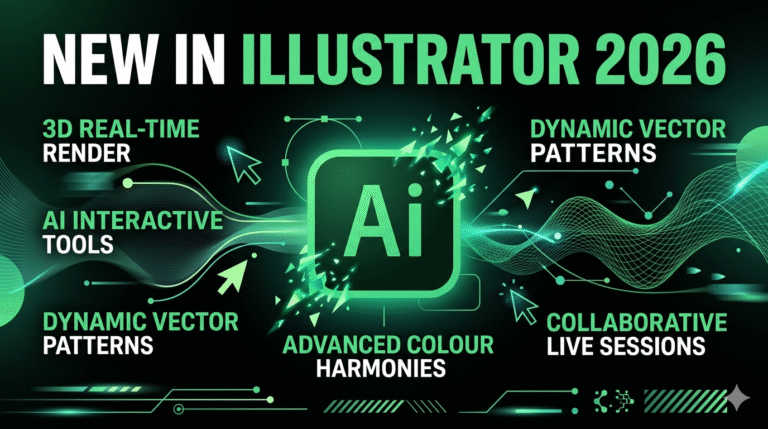
If you’ve ever found yourself lost in the world of design, tirelessly striving to create captivating layouts and visually stunning projects, then you’re in for a treat. Adobe Illustrator has long been the cornerstone for vector designers around the globe, allowing them to transform simple ideas into magnificent scalable artwork. But just when you thought it couldn’t get any better, Illustrator 2026 has arrived, bringing with it a wealth of groundbreaking updates that can elevate your vector projects to an entirely new level.
Imagine tools that not only enhance creativity but also streamline the design process, saving you time and effort. Illustrator 2026 introduces powerful AI-driven features, smarter gradients, an enhanced font browser, improved artboards, and much more. Whether you’re a seasoned illustrator, a graphic designer, or a novice just beginning to explore vector art, understanding what is new in Illustrator 2026 could be your key to unlocking unparalleled potential in your projects. Get ready to dive deep into the latest advancements that are reshaping the vector design landscape.
Illustrator 2026 significantly improves layout and artboard management, making complex projects faster and more intuitive. These updates address long-standing pain points while introducing smarter tools that respect creative intent.
Key layout and artboard enhancements in Illustrator 2026:
These features transform how designers handle large projects. For example, packaging designers working with 20+ artboards for different SKUs now benefit from color-coded organization and on-canvas names, reducing time spent hunting for the right board. Generative Expand saves hours when creating variations or extending backgrounds while maintaining perfect vector quality. Turntable Beta gives instant 3D feedback without leaving Illustrator — a huge time-saver for product visualization.
Real-world impact reported by studios in 2026 includes 35–60% faster artboard-heavy workflows and fewer alignment errors during client reviews. The new tools feel thoughtful and non-intrusive — they accelerate repetitive tasks while preserving full creative control. Illustrator 2026 makes complex layout work feel more fluid and enjoyable than ever before.
Collaboration in Illustrator has improved dramatically in 2026 with better cloud integration and team-focused tools. These features bridge the gap between solo vector work and modern agency/client workflows.
Notable collaboration upgrades:
These tools reduce email back-and-forth and version confusion. Design teams report faster feedback loops, especially when mixing Illustrator with other Creative Cloud apps. For freelancers working with clients, share links allow non-designers to view and comment without needing full Illustrator access.
The collaboration features maintain Illustrator’s legendary precision while adding the modern teamwork capabilities that teams expect in 2026. Whether you’re in a large agency or working remotely with clients, these updates make Illustrator feel like a true collaborative platform.
Adobe Firefly powers the most exciting AI features in Illustrator 2026. These tools accelerate ideation and repetitive tasks while keeping vectors fully editable and scalable.
Standout AI-powered features:
These AI tools act as creative assistants rather than replacements. Designers use them for rapid ideation, background generation, pattern creation, and quick variations — then refine manually for perfect control. Studios report 40–70% time savings on initial concept phases while maintaining full vector quality and brand consistency.
Importantly, all generated content remains editable paths, not raster — ensuring scalability and professional output. Illustrator 2026 strikes an excellent balance: powerful AI acceleration with the precision vector designers demand.
Typography in Illustrator 2026 receives a major upgrade with a refreshed Font Browser and smarter management tools.
New typography capabilities:
These changes make finding and organizing type faster and more enjoyable. Designers working with large type systems or multiple clients benefit enormously from the improved browser and library features. Typography workflows that once involved switching apps or manual organization now happen seamlessly inside Illustrator.
While Illustrator remains vector-first, 2026 brings better integration with raster tools and AI image features.
Image-related improvements:
These enhancements reduce the need to jump between Illustrator and Photoshop for many common tasks.
Illustrator 2026 improves template workflows with better integration to Adobe Express and enhanced customization options. Designers can start faster with intelligent templates that adapt to project needs while maintaining full editability.
Performance improvements make Illustrator 2026 launch up to 3x faster and save files up to 6x quicker. Smoother gradients with dithering and perceptual blending, enhanced snapping, and overall faster performance across large files reduce frustration and boost daily productivity.
New tools like Turntable (Beta) for multi-angle vector previews and improved 3D/vector integration help designers create more dynamic and realistic illustrations for packaging, product viz, and motion graphics workflows.
Illustrator 2026 delivers a balanced mix of practical workflow improvements and powerful AI assistance. Faster performance, smarter gradients, an excellent new font browser, enhanced artboards, and thoughtful generative tools make it one of the most significant updates in recent years.
Whether you create logos, illustrations, packaging, or complex multi-page documents, Illustrator 2026 helps you work faster, explore more ideas, and maintain the precision that vector design demands. The AI features feel like helpful collaborators rather than black boxes — always keeping vectors editable and scalable.
For professional designers and studios in 2026, upgrading to Illustrator 2026 is a clear win. The combination of speed, intelligence, and creative control positions Illustrator even further ahead as the industry-standard vector tool. Update today and experience how these new features can transform your daily design process.
Check out our Adobe Illustrator course at Orbit Training Center
Confused between BIM Coordinator and BIM Manager roles in Dubai? Learn the key differences, responsibilities, and career path in the UAE AEC industry.
Compare Revit MEP vs AutoCAD MEP for Dubai projects: features, workflows, BIM vs CAD, and how to choose the right tool for your career.
Learn Python for beginners with simple automation tasks. Find install steps, tutorials, and training options in Dubai, onsite or online.