Twinmotion Course in Dubai
Our Twinmotion Course combines hands-on projects with expert instruction, helping you build real, job-ready skills in Dubai.
Learn Twinmotion, Epic Games’ real-time architectural visualization software built on Unreal Engine, used to create fast, photorealistic walkthroughs directly from Revit, SketchUp, and ArchiCAD models. Build practical skills in real-time rendering for architects and designers who need rapid, high-quality visualization.
Book Your Free Demo
Our Corporates Training Partners







Become a Certified in Twinmotion with Twinmotion Course in Dubai
Our Twinmotion course teaches real-time architectural visualization — the same Unreal Engine technology behind modern game graphics, applied to producing fast, photorealistic walkthroughs of your design.
Our instructor provides personalized attention, working through real Revit and SketchUp model imports in our Dubai facility.
Real-time visualization tools like Twinmotion and Lumion are increasingly standard for client presentations, since they produce convincing results far faster than traditional offline rendering.
Welcome to Orbit’s Twinmotion training program in Dubai, designed for architects and designers who want fast, high-quality visualization without a lengthy offline rendering workflow.
Your learning journey begins with importing models from Revit, SketchUp, or ArchiCAD before progressing to materials, lighting, landscaping, and real-time walkthrough and animation production.
Our Dubai training center features dedicated workstations for real-time rendering work. Small class sizes ensure personalized guidance from our instructor.
The practical-based training approach means most of your time is spent producing real visualization output rather than watching passive tutorials.
Upon completion, you’ll receive our Training Center certification.
- Importing and setting up models from Revit, SketchUp, and ArchiCAD
- Real-time material and lighting setup
- Landscaping, vegetation, and site context population
- Real-time walkthrough and camera animation production
- Exporting presentation-ready renders, panoramas, and video walkthroughs
- Navigate Twinmotion's core interface and primary toolsets
- Set up and organize a Twinmotion project from scratch
- Apply Twinmotion to a realistic, project-based exercise rather than isolated tutorials
- Troubleshoot common Twinmotion workflow mistakes before they affect project output
- Document and present Twinmotion work in a professional, employer-ready format
- Understand where Twinmotion fits alongside Dubai industry-standard workflows
- Build a portfolio-ready project using Twinmotion
- Work efficiently within Twinmotion's standard file and data structure
- Apply Twinmotion to a realistic UAE project scenario
- Independently complete a full Twinmotion workflow start to finish
Our Professional Trainer

Mukesh Raiya
CAD Software trainer
Mr. Mukesh has 11 Years of experience in the field Training which helps Organizational Development and Executive leadership (of which Training is an integral part) which helps approach training with seriousness and diligence. Have done several workshops in STAAD Pro, Revit BIM, Microsoft Project and Primavera P6, Structure Design, 3D Architecture Design for Corporate Sector in UAE and India. He Conducted training for almost 1000+ candidates in Orbit Training Center and corporate training for various leading companies in UAE. He have done Several Freelancer Projects of companies and Academic Sector.
He Has work experience as Civil engineer and professional Training experience in UAE and India. I am being with Orbit Training Center – Dubai for past Five years with various level of experience like corporate training for the companies in UAE and in house training for a batch & individuals. He trained more than 1000+ candidates for several course like BIM with Revit BIM, AutoCAD, STAAD Pro, Lumion, Navisworks, Sketchup, ETABS etc., Keeping abreast of industry developments within Dubai, the wider UAE region and across the Middle East geography. He has good working knowledge of the construction industry and techniques and knowledge of modern materials/products.
Our Classes Schedules
| Day | Timing | Classes Type | Class Hour’s |
|---|---|---|---|
| Monday | 10:00 AM – 09:00 PM | Batches | 2 Hours Session |
| Wednesday | 12:00 PM – 09:00 PM | One to one | 2 Hours Session |
| Thursday | 10:00 AM – 09:00 PM | One to one | 2 Hours Session |
| Friday | 12:00 PM – 09:00 PM | Private | 2 Hours Session |
| Saturday | 10:00 AM – 09:00 PM | Batches | 2 Hours Session |
| Sunday | 10:00 AM – 09:00 PM | One to one | 2 Hours Session |
Twinmotion Course Detailed Description
Twinmotion is real-time architectural visualization software developed by Epic Games (the makers of Unreal Engine and Fortnite), built to turn BIM and CAD models from Revit, SketchUp, ArchiCAD, and other design tools into photorealistic, interactive walkthroughs in real time rather than through slow, offline rendering. Its core advantage is speed — because it uses real-time game-engine rendering technology, you see changes to lighting, materials, and camera position instantly, which fundamentally changes how design visualization and client presentation work.
Importance in UAE Market (Why Learn Twinmotion in Dubai)
Search interest in Twinmotion in the UAE currently appears mostly as comparison queries against Lumion, reflecting that designers are actively weighing which real-time visualization tool to adopt — both tools solve the same core problem and are increasingly standard additions to a Revit or SketchUp skill set.
Read MoreLess
In Dubai specifically, Twinmotion skills are relevant for:
- Importing and setting up models from Revit, SketchUp, and ArchiCAD
- Real-time material and lighting setup
- Landscaping, vegetation, and site context population
- Real-time walkthrough and camera animation production
- Exporting presentation-ready renders, panoramas, and video walkthroughs
Why Join Our Twinmotion Training
Orbit’s Twinmotion course is taught by Nishank Kumar, who brings over 6 years of experience training professionals in Lumion, Revit, and 3D visualization software. The course maintains small batch sizes for personal attention during hands-on visualization work.
What Makes Our Training Special:
- Real-Time Rendering Speed — See lighting and material changes instantly, not after a long render queue
- Works With Your Existing Models — Built around real Revit and SketchUp project imports
- Small Batch Sizes — Personal attention during hands-on visualization work
- Hands-On Learning — Most course time is spent producing real presentation-ready output
- Experienced Visualization Instructor — Learn from a trainer with real UAE 3D visualization training experience
What Is Twinmotion Used For?
Twinmotion is used by architects, interior designers, and visualization specialists to turn design models into fast, photorealistic walkthroughs and renders for client presentations, marketing material, and design review. In Dubai, it’s most relevant to design practices and visualization freelancers who need to produce convincing visual material quickly, especially for iterative client review where changes need to be shown in real time rather than re-rendered overnight.
What You’ll Learn in Orbit’s Twinmotion Course
The course starts with importing and setting up models from Revit, SketchUp, and ArchiCAD, then moves into real-time material and lighting setup. You’ll practice landscaping and site context population to make scenes feel complete, and work through real-time walkthrough and camera animation production. The curriculum finishes with exporting presentation-ready renders, panoramas, and video walkthroughs suitable for client delivery.
Twinmotion Career Paths and Growth in Dubai
Real-time visualization skills like Twinmotion are most valuable paired with existing Revit, SketchUp, or ArchiCAD design skills, positioning you for visualization-focused roles or freelance work at design practices that need fast, high-quality client presentation material — a genuinely practical addition alongside, not instead of, your core design software skills.
Getting Started With Twinmotion at Orbit
Whether you’re a Revit or SketchUp user adding fast visualization skills, a Lumion user evaluating a second real-time rendering tool, or a designer who needs faster client presentation turnaround, the course starts from model-import fundamentals and builds to producing full presentation-ready walkthroughs. Basic 3D design software familiarity is helpful. A free demo session is available before you commit.
Common Question Answers Here and about Course.
Who should take this Twinmotion course?
Architects, interior designers, and visualization specialists who already use Revit, SketchUp, or ArchiCAD and want fast, real-time rendering output. People researching “Twinmotion course for beginners” or “Twinmotion training near me” are typically in exactly this position — looking for a structured, practical way in rather than trying to self-teach from scattered tutorials and videos. The course is built so you progress from zero background to confident, independent use of Twinmotion by the end, regardless of which of these starting points matches you.
How is this different from Lumion?
Both are real-time visualization tools solving a similar problem — Twinmotion runs on Epic Games’ Unreal Engine technology, while Lumion has its own dedicated rendering engine. Many designers pick one based on workflow preference and existing software compatibility. This matters if you’re comparing total cost before committing, since your training fee is then the only real cost involved in learning Twinmotion, not an ongoing software subscription on top of it. It also means you can keep practicing and building your portfolio after the course ends without needing a license renewal or an employer-provided seat.
Do I need Revit or SketchUp experience first?
Yes, basic familiarity with at least one 3D design tool is needed since Twinmotion works by importing models from them rather than modeling from scratch. If you’re still unsure which path best fits your goals, our admissions team can walk you through both options in a short, free consultation before you enroll, based on the specific roles or projects you’re targeting in the Dubai market.
How long is the course and is it available online?
The course runs 30 hours across 15 training modules, available both in-person at our Dubai campus and as a live online course. If you already have experience with related design, engineering, or CAD software, you’ll likely move through the early modules faster, but the course doesn’t assume any specific background — we adjust pacing across mixed-experience batches so no one is held back or left behind.
Should I learn Twinmotion or Lumion?
Both achieve similar results; the choice often comes down to which design software you use most and personal workflow preference. Some students learn both. Both the in-person and online formats follow the same 15 training modules and cover identical course content, so your choice comes down to convenience rather than any difference in what you’ll learn. We also run flexible weekday and weekend batch timings, which is why many working professionals specifically search for “Twinmotion weekend course in Dubai” when planning training around a job.
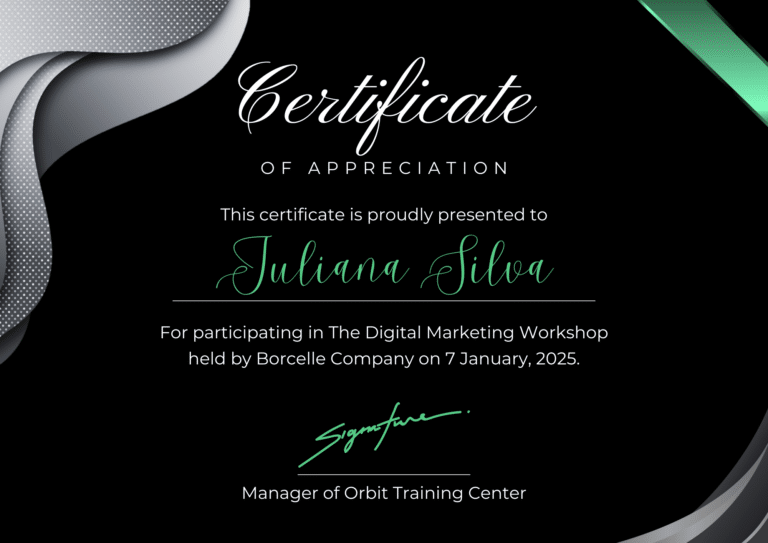
Will I get a certificate after completing this course?
Yes, you’ll receive Orbit Training Centre’s course completion certificate. The certificate lists the specific modules covered and your training hours, which is the kind of detail UAE employers and HR departments typically want to see on a CV alongside the credential itself, rather than just a generic completion statement.
Can I try a class before enrolling?
Yes, a free demo session is available so you can see a sample real-time rendering workflow first. If building a strong portfolio or demo-ready project work matters for the roles you’re targeting, our career support also covers how to present your course projects professionally — something that matters as much as the raw software skill when employers are comparing candidates with similar certificates.
Can I combine this with your Revit or SketchUp course?
Yes, many students take this alongside or after our Revit Architecture or SketchUp training. There’s no obligation to enroll afterward — it’s simply the easiest way to confirm the course, the trainer’s teaching style, and Twinmotion itself are the right fit for you before you commit your time and course fees.
What are the course fees for the Twinmotion course in Dubai?
Course fees depend on whether you choose in-person training at our Dubai campus or live online classes, and on current batch availability — contact our admissions team for the latest Twinmotion course fee structure and any active promotions. We’re also happy to discuss flexible payment plans if you’d like to spread the cost across the course duration rather than paying the full fee upfront, and group or corporate bookings may qualify for a different rate.
What do I need before starting the Twinmotion course?
You don’t need Twinmotion installed beforehand — our Dubai training lab provides fully configured workstations with the current software version for in-person students, and for online students we’ll guide you through installation and setup (including any free or trial license options, where applicable) before the course begins, so you’re ready to start on day one rather than losing class time to setup. No additional materials or textbooks are required; everything you need is provided as part of the course.