

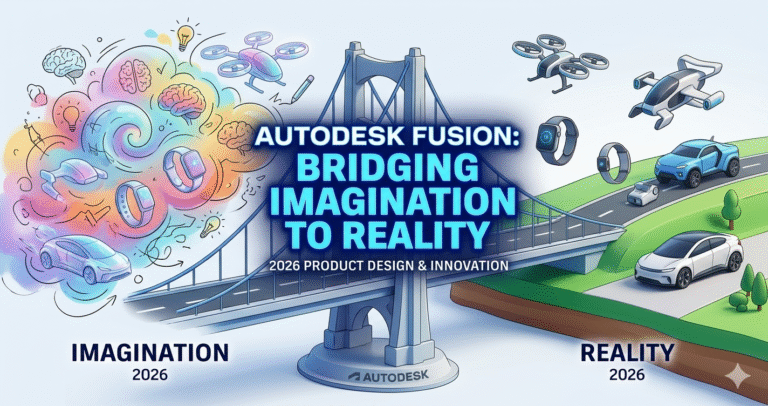
Imagine a world where the gap between imagination and reality is seamlessly bridged by technology. In the fast-paced realm of product design and manufacturing, this is no longer a distant dream but a vibrant reality, thanks to groundbreaking tools like Autodesk Fusion. As industries evolve and consumer demands become more sophisticated, the need for agile, efficient, and precise design solutions has never been more critical. Autodesk Fusion steps into this role with aplomb, offering designers and engineers a cohesive platform that transforms creative ideas into tangible products.
Companies large and small are increasingly turning to Autodesk Fusion to infuse innovation into their design processes. This versatile tool is not just software; it’s a comprehensive ecosystem that facilitates every aspect of product development—from initial concept sketches to final production-ready designs. Whether you’re a seasoned professional seeking to streamline workflows or a budding designer eager to revolutionize your craft, understanding what Autodesk Fusion is used for in product design could be the key to unlocking unprecedented levels of creativity and efficiency.
Autodesk Fusion (formerly known as Fusion 360) is a cloud-based platform integrating 3D CAD, CAM, CAE, PCB design, data management, and collaboration. In 2026, with ongoing advancements in AI, intent-driven design, and connected workflows, it remains a leader in accelerating product innovation.
The journey of product design begins with conceptualization—turning abstract ideas into tangible forms. Autodesk Fusion excels here by providing a flexible, intuitive environment for rapid ideation.
In the Design workspace, users can start with 2D sketches and extrude them into 3D parametric models, where dimensions and relationships are fully editable. Parametric modeling ensures that changes to one parameter automatically update the entire model, fostering experimentation without starting over. For organic or ergonomic shapes common in consumer products, Fusion offers sculpting (T-Splines) and freeform modeling tools, allowing designers to push, pull, and crease surfaces like digital clay.
Advanced surfacing combines precise engineering with aesthetic freedom, ideal for industrial design. Users can import reference images, meshes, or scans to build upon real-world inspirations. The sketching tools include powerful constraints, dimensions, and patterns, enabling quick iteration on concepts like enclosures, handles, or mechanisms.
This streamlined conceptualization reduces time from sketch to 3D model, encouraging bold ideas. Designers can explore multiple variants early, setting the stage for innovation by focusing on form, fit, and function without software limitations.
In today’s distributed world, product design rarely happens in isolation. Autodesk Fusion’s cloud-based foundation transforms collaboration from a challenge into a strength.
Designs live in the cloud, with real-time co-editing where multiple team members can work on the same file simultaneously—much like Google Docs for 3D models. Comments, markups, and threaded discussions keep feedback contextual and organized. Version history automatically tracks changes, allowing rollback if needed, while named versions capture milestones.
Fusion Team supports project-based organization, role-based permissions, and sharing links for external stakeholders like clients or manufacturers. Teams can invite participants with view-only, comment, or edit access, ensuring secure yet open workflows.
This collaborative power breaks down silos between industrial designers, mechanical engineers, and manufacturers. Real-time updates mean faster decisions, fewer miscommunications, and accelerated innovation—especially for global or remote teams pushing creative boundaries.
Innovation demands confidence that a design will perform under real conditions. Autodesk Fusion’s CAE tools provide robust simulation without leaving the platform.
Static stress, modal frequencies, thermal, and buckling analyses help validate structural integrity. Event simulation handles dynamic impacts, while generative design uses AI to explore optimized shapes based on loads, constraints, materials, and manufacturing methods.
Users define goals like minimizing mass while maximizing strength, and Fusion generates multiple manufacturing-ready alternatives—often organic, lightweight structures impossible to conceive manually. This drives innovation by revealing high-performance, material-efficient designs.
Simulation integrates seamlessly with CAD, so changes update analyses instantly. Engineers iterate rapidly, reducing physical prototypes and catching issues early, which is crucial for innovative products where performance edges matter.
Precision turns concepts into viable products. Autodesk Fusion supports detailed engineering with assemblies, joints, motion studies, and tolerances.
Assemblies allow bottom-up, top-down, or middle-out approaches, with motion links simulating mechanisms like hinges or gears. Interference detection and tolerance analysis ensure parts fit perfectly.
For prototyping, Fusion prepares models for 3D printing (additive manufacturing) with support generation, orientation optimization, and slicing previews. It also exports to STL or other formats effortlessly.
This precision enables rapid physical validation—print a prototype overnight, test it, iterate in software, and refine. The tight loop between digital and physical accelerates innovation, allowing designers to experiment boldly while maintaining engineering rigor.
Autodesk Fusion eliminates the “throw it over the wall” mentality by integrating CAM directly.
The Manufacture workspace generates toolpaths for CNC milling (2.5- to 5-axis), turning, mill-turn, sheet metal, additive, and more. Adaptive clearing strategies optimize roughing for efficiency, while finishing tools deliver high-quality surfaces.
Simulation verifies toolpaths, detecting collisions and estimating cycle times. Post-processors output G-code for specific machines, and the cloud library includes thousands of tools and machines.
This integration means designs are manufacturable from the start—DFM checks flag issues early. Teams move from CAD to machined parts faster, innovating without rework.
True innovation thrives on iteration and customization. Fusion’s parametric and history-based modeling supports endless tweaks—change a dimension, and the model rebuilds intelligently.
Configurations allow variant creation from one master model, ideal for product families. Scripting and APIs enable automation for repetitive tasks or custom tools.
Generative design excels here, producing customized, optimized outcomes tailored to specific needs. Iterative workflows—design, simulate, refine, manufacture—become fluid, empowering designers to push boundaries and create truly novel products.
Autodesk Fusion dramatically shortens development cycles. Cloud access eliminates file transfers; integrated tools reduce software switching; automation handles tedious tasks.
Real-time collaboration speeds decisions, simulations cut physical testing, and integrated CAM accelerates production prep. Companies report faster time-to-market, lower costs, and higher innovation rates.
For startups, the accessible pricing and comprehensive features level the playing field against larger competitors. Efficiency gains free time for creative exploration, turning ideas into market-ready products quicker.
Sustainability is key to modern innovation. Autodesk Fusion supports eco-friendly practices through lightweighting via generative design, which reduces material use while maintaining performance.
Simulation optimizes for energy efficiency in use. Additive manufacturing prep minimizes waste compared to subtractive methods. Tools analyze CO₂ emissions and suggest greener materials.
Designers can prioritize recycled or low-impact materials, consolidate parts to reduce assembly waste, and optimize infill for 3D printing to save filament and energy. These capabilities help create products that are innovative and environmentally responsible.
Autodesk Fusion is more than software—it’s a catalyst for product design and innovation. By unifying conceptualization, collaboration, simulation, precision engineering, manufacturing integration, iteration, efficiency, and sustainability, it empowers creators to bridge imagination and reality.
In an era where speed, agility, and responsibility define success, Autodesk Fusion equips designers and engineers to innovate boldly, iterate intelligently, and deliver exceptional products. Whether revolutionizing consumer goods, advancing industrial solutions, or pioneering sustainable technologies, Fusion stands as the platform that turns visionary ideas into world-changing realities. Check out our Fusion 360 course