

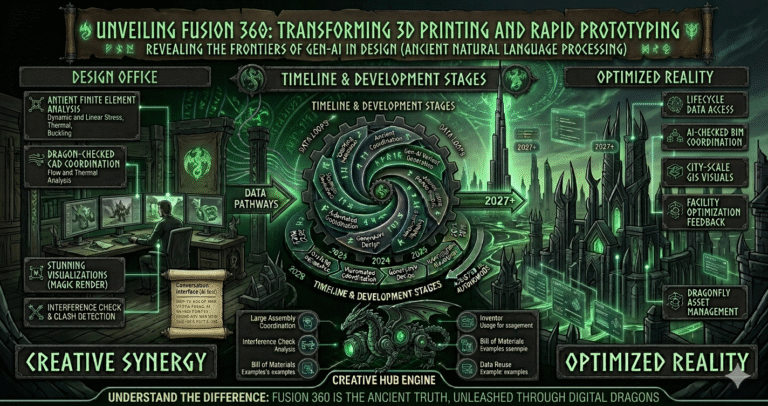
In today’s fast-paced world of design and manufacturing, innovation is not just desired—it’s essential. Enter Fusion 360, a game-changing tool that has been rapidly transforming the landscape of 3D printing and rapid prototyping. With its seamless integration of design, engineering, and manufacturing, Fusion 360 empowers creators to bring their most ambitious ideas to life with unprecedented ease and precision.
But can Fusion 360 be used for 3D printing and rapid prototyping effectively? The answer lies in its unique ability to unify the entire product development process, making it not only a powerful ally but a necessity for modern-day creators. Imagine having a single platform that allows you to visualize, simulate, and optimize your designs all in one place. Fusion 360 does exactly that, breaking down the barriers between different stages of product development. As designers and engineers continuously seek more efficient and innovative ways to prototype complex designs, Fusion 360 emerges as a pivotal tool in their arsenal. In this blog post, we’ll delve deep into how Fusion 360 is not just redefining workflows but is revolutionizing the possibilities of what can be achieved in 3D printing and rapid prototyping. Prepare to discover how this software is spearheading a new era in digital fabrication.
Product development tools have undergone a dramatic transformation over the past three decades. In the 1990s and early 2000s, designers relied on separate 2D CAD packages (AutoCAD, Solid Edge 2D), 3D modeling software (early SolidWorks, Inventor, Rhino), and disconnected CAM programs. File transfers between systems caused errors, version mismatches, and massive rework. Rapid prototyping meant expensive SLA or FDM machines with long lead times and limited material options.
The mid-2000s brought integrated CAD/CAM suites (Mastercam, PowerMill), but collaboration remained file-based and painful. The real shift began around 2013 when Autodesk launched Fusion 360 as the first truly cloud-native, all-in-one platform combining CAD, CAM, CAE, PCB, data management, and collaboration in a single subscription model. By 2026, Fusion 360 has matured into one of the most comprehensive product development environments available—especially for 3D printing and rapid prototyping workflows.
Key evolutionary milestones that shaped today’s landscape:
Fusion 360 eliminated the traditional CAD → CAM → Slicing → Printing toolchain fragmentation. Designers now iterate from concept sketch to printed part inside one environment—dramatically accelerating feedback loops and reducing errors. In 2026, with widespread adoption of desktop metal & composite printers, cloud rendering farms, and AI-driven optimization, Fusion has become the de facto standard for many small-to-medium product teams, makerspaces, startups, and educational institutions focused on rapid prototyping and additive manufacturing.
Fusion 360 is a unified cloud-based platform combining parametric & direct modeling, assembly design, sheet metal, PCB electronics, CAM (2.5–5 axis milling, turning, additive), simulation (structural, thermal, generative), rendering, and data management. In 2026, its additive manufacturing and rapid prototyping capabilities are among the strongest in any single commercial package.
Core features that make Fusion ideal for 3D printing & rapid prototyping:
Fusion’s cloud architecture means no local compute limits for simulation or rendering. Users can queue multiple generative studies or high-resolution renders while continuing to model. The platform also supports direct printer integration (Prusa, Ultimaker, Formlabs, Markforged) and third-party slicers (Cura, PrusaSlicer) via g-code export. In 2026, AI-assisted features—auto-orientation for printing, intelligent support generation, and predictive failure analysis—further reduce trial-and-error, making Fusion exceptionally efficient for iterative rapid prototyping cycles.
Fusion 360 eliminates the historical disconnect between industrial design and mechanical engineering. In 2026, the platform’s unified environment allows seamless transitions between organic surfacing, precise parametric modeling, sheet metal unfolding, PCB layout, and simulation—all without exporting/importing files or losing associativity.
Integration highlights for 3D printing & rapid prototyping:
This single-database approach ensures that design intent is preserved across disciplines. A change to the industrial design surface automatically updates the engineering solid, simulation study, and manufacturing toolpaths. Teams report 40–70% faster design-to-prototype cycles because revisions no longer require manual rework in multiple programs. In 2026, with improved lattice tools, conformal supports, and AI-driven manufacturability feedback, Fusion enables designers to push complex, lightweight, high-performance parts directly to the printer—bridging the gap between concept and physical reality more effectively than ever.
Fusion 360’s cloud-based simulation suite allows designers to validate prototypes virtually before printing—saving material, time, and money. In 2026, simulation is a first-class citizen with significant performance and feature improvements.
Available study types:
Key 2026 enhancements:
Designers use simulation to test load-bearing capacity, check thermal hotspots in electronics enclosures, validate snap-fit durability, or predict print warping before sending to the printer. Cloud solving means even complex assemblies can be analyzed without high-end local hardware. Results include safety factor maps, deformation animations, stress/strain contours, and failure predictions—enabling confident design decisions early and reducing failed prints dramatically.
Fusion 360 offers powerful tools to prepare and optimize models specifically for additive manufacturing—critical for successful 3D prints and rapid prototypes.
Optimization capabilities include:
In 2026, AI-driven manufacturability feedback flags potential print failures (warping, layer delamination) before slicing. Users can iterate between generative outcomes, simulation validation, and print preparation in minutes. This tight loop dramatically increases first-print success rates—often 80–95% for experienced users—and enables previously impossible organic, lightweight geometries that outperform traditional designs.
Fusion 360 accelerates rapid prototyping by unifying design, simulation, optimization, and manufacturing preparation in one environment. Typical rapid prototyping workflow in 2026:
Because everything stays associative, a design change triggers automatic updates through simulation and toolpaths. Cloud queuing lets users start a generative study or long simulation while continuing to refine other parts. Direct integration with popular printers (Bambu Lab, Prusa, Formlabs, Markforged, Stratasys) and cloud slicing services further shortens the loop. Teams report going from idea to physical prototype in hours instead of days—ideal for iterative product development, functional testing, fit checks, and investor demos. Fusion’s affordability, accessibility, and all-in-one nature make it the go-to platform for rapid prototyping in startups, design studios, makerspaces, and educational settings in 2026.
Fusion 360’s cloud-native architecture enables powerful collaboration features that supercharge rapid prototyping teams:
In rapid prototyping, this means industrial designers can refine aesthetics while mechanical engineers validate strength and manufacturing specialists prepare print settings—all concurrently. Clients and stakeholders can review progress in real time via browser or mobile without software installation. Version branching lets teams experiment safely. In 2026, improved real-time performance and mobile markup tools have made Fusion collaboration seamless even for global or hybrid teams—accelerating feedback loops and reducing miscommunication in fast-paced prototyping cycles.
Real-world success stories in 2025–2026 illustrate Fusion’s impact:
These examples show Fusion enabling faster iteration, lighter parts, fewer failed prints, reduced physical testing, and accelerated market entry—proving its value across industries focused on rapid prototyping and additive manufacturing.
Advanced users in 2026 leverage these techniques to push Fusion’s 3D printing & prototyping capabilities:
These techniques enable previously impossible lightweight, high-performance parts—especially valuable in aerospace, automotive, medical, and sporting goods where strength-to-weight ratio and functional integration are critical. Fusion’s open API and Python scripting support custom workflows, making it highly extensible for advanced rapid prototyping needs.
Fusion 360 in 2026 stands as one of the most complete, accessible, and powerful platforms for 3D printing and rapid prototyping. By unifying parametric modeling, advanced simulation, generative design, additive manufacturing preparation, and real-time cloud collaboration in a single environment, it eliminates traditional toolchain fragmentation and accelerates the entire idea-to-part cycle. Designers can explore organic forms, validate structural integrity, optimize for lightweighting, simulate thermal performance, and prepare optimized print files—all without leaving Fusion. The combination of cloud solving, AI assistance, manufacturing-aware generative design, and seamless team workflows makes Fusion the ideal choice for startups, design studios, educational institutions, and professional engineering teams pushing the boundaries of additive manufacturing. As 3D printing hardware continues to advance, Fusion 360 ensures designers and engineers can fully exploit those capabilities—turning bold concepts into high-performance, manufacturable reality faster and more reliably than ever before. The future of rapid prototyping is integrated, intelligent, and cloud-powered—and Fusion 360 is leading the way.