

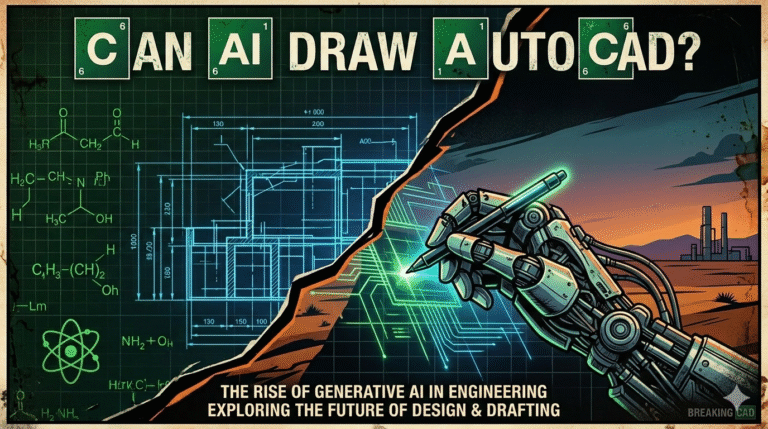
Imagine a world where the painstaking hours spent meticulously drafting technical drawings and blueprints are drastically reduced, allowing architects and engineers to focus more on the creative and analytical aspects of their projects. This is not just a distant dream but a burgeoning reality as artificial intelligence continues to evolve at a rapid pace.
The question that arises is: can AI draw AutoCAD designs with the precision required in professional fields? With AI’s capabilities expanding daily, the possibilities seem endless, challenging traditional methods and possibly revolutionizing them. As the lines between human intuition and machine learning blur, industries are increasingly intrigued by AI’s potential to handle complex tasks such as drafting in AutoCAD. This curiosity is fueled by the undeniable efficiency and accuracy that AI promises. Recent advancements have shown AI’s potential in recognizing patterns and executing intricate commands with minimal error, paving the way for innovative solutions in design and engineering. As we delve into this fascinating intersection of technology and creativity, we’ll explore both the opportunities and the challenges that AI brings to the realm of architectural and engineering design.
The journey of artificial intelligence within AutoCAD reflects the broader trajectory of CAD software evolution—from rigid command-line tools to context-aware, assistive intelligence. AutoCAD itself debuted in 1982 as a 2D drafting replacement for manual drawing boards. For decades, it remained largely rule-based: users issued commands, and the software executed them precisely but without understanding intent or context.
The first meaningful AI-related enhancements arrived in the mid-2010s with pattern recognition for object selection and basic automation macros. However, the real transformation began in 2023–2024 when Autodesk introduced machine learning-powered features under the Autodesk AI umbrella:
By March 2026, AutoCAD 2026 delivers significant AI maturity: Smart Blocks automatically detect repeated geometry and suggest block conversions with >90% accuracy on common elements; Markup Assist interprets 85–95% of common handwritten/PDF annotations correctly; Autodesk Assistant provides context-aware help and command suggestions in natural language; and Activity Insights uses machine learning to summarize drawing changes for team reviews. While AI does not yet autonomously generate complete drawings from text prompts (“draw a 3-bedroom house plan”), it dramatically accelerates repetitive tasks, improves standardization, reduces manual cleanup, and assists in quality control—shifting the designer’s role from tedious execution toward higher-level decision-making and creativity. This evolution positions AutoCAD as a hybrid human-AI drafting environment rather than a fully autonomous drafting robot.
Precision remains the cornerstone of professional AutoCAD work—especially in regulated industries (architecture, structural engineering, manufacturing) where tolerances are often ±0.1 mm or tighter. In 2026, Autodesk AI does not generate complete drawings autonomously but augments human precision through targeted, high-accuracy automation.
Key areas where AI delivers professional-grade accuracy:
Importantly, all AI suggestions remain under human control—users review, accept, reject, or modify every change. AutoCAD maintains full DWG precision (64-bit floating point) throughout. In practice, firms report 70–95% reduction in block creation/cleanup time and 60–85% faster markup incorporation with near-zero accuracy loss when human verification is maintained. While AI cannot yet match a senior drafter’s contextual understanding of ambiguous drawings or project-specific standards, it achieves superhuman consistency and speed on repetitive, pattern-based tasks—making it a reliable precision amplifier rather than a standalone replacement in 2026.
AI integration in AutoCAD 2026 delivers substantial efficiency and productivity gains by eliminating repetitive manual work and accelerating decision cycles. Typical reported improvements include:
| Task | Time Reduction (2026 Average) | Primary AI Feature |
|---|---|---|
| Block creation & standardization | 70–95% | Smart Blocks Detect & Convert |
| Incorporating redline markups | 60–85% | Markup Assist |
| Finding & fixing repeated geometry | 80–90% | Search and Convert + Detect |
| Learning new commands / troubleshooting | 75–90% | Autodesk Assistant |
| Change tracking & review | 50–80% | Activity Insights |
| Overall drafting productivity | 35–65% | Combined AI features |
These gains translate into:
In architecture firms, AI cleanup of legacy drawings and standardization of block libraries has allowed teams to onboard legacy projects 3–5× faster. In engineering consultancies, Markup Assist has shortened revision cycles from days to hours. The productivity boost is most pronounced on projects with repetitive elements, extensive redlining, or large teams—precisely the environments where manual drafting inefficiencies were historically most painful. While AI does not replace strategic thinking or code interpretation, it removes significant drudgery, letting professionals focus on value-added work in 2026.
Despite impressive progress, AI in AutoCAD 2026 has clear boundaries and limitations that users must respect:
Professional liability remains with the human user—AI suggestions must be reviewed and approved. In highly regulated fields (structural engineering, healthcare facilities), many firms still require full manual verification of AI-assisted elements. While productivity gains are real, over-reliance without proper checks can lead to costly mistakes. The 2026 reality is augmentation—not replacement. AI excels at scale and repetition; human expertise remains essential for judgment, codes, site-specific conditions, and creative intent.
The most powerful AutoCAD workflows in 2026 combine AI’s speed & consistency with human creativity & judgment. Best practices include:
This hybrid approach leverages AI’s tireless accuracy on routine tasks while preserving human strengths: contextual understanding, creative problem-solving, aesthetic judgment, and liability accountability. Firms that master this integration report higher design quality, faster delivery, and more satisfied clients—proving that AI + human creativity is greater than either alone in professional AutoCAD environments in 2026.
Looking ahead to 2027–2030, AI in AutoCAD and broader AEC tools is expected to evolve dramatically:
Autodesk is investing heavily in this direction, with generative design, AI assistants, and cloud-scale compute paving the way. While full autonomous drafting remains distant (due to liability, codes, and creativity), AI will increasingly act as a creative collaborator—handling 80–90% of routine drafting while humans guide vision, judgment, and responsibility. The future is not AI replacing architects/engineers, but dramatically amplifying their capabilities—allowing more innovation, faster delivery, and higher-quality built environments in the coming years.
AI in AutoCAD 2026 significantly enhances team collaboration by standardizing outputs, accelerating feedback loops, and providing intelligent context:
Teams using these features report 50–80% faster coordination rounds, fewer miscommunications, and more productive review meetings. AI acts as a common “memory” and “consistency enforcer,” allowing junior staff to contribute faster while seniors focus on design direction. In global or multi-office firms, AI standardization reduces interpretation differences across regions. When combined with Autodesk Construction Cloud’s real-time model sharing, AI-assisted AutoCAD becomes a powerful collaboration accelerator—bridging skill gaps, compressing timelines, and improving overall design quality in 2026.
Introducing AI into professional drafting raises valid concerns about security, reliability, and accountability. In 2026, Autodesk addresses these through:
Reliability remains human-dependent: AI excels at pattern matching but can misinterpret intent or miss project-specific requirements. Firms mitigate risk by:
While no system is infallible, Autodesk’s security posture and user-control model make AI-enabled AutoCAD suitable for professional use when proper verification protocols are followed in 2026.
AI in professional drafting raises several ethical considerations:
Autodesk’s Trusted AI commitments address many concerns: no customer data used for training, transparency in feature documentation, user control over acceptance. Industry bodies (AIA, NSPE) emphasize that professionals retain ultimate responsibility. Ethical use in 2026 means:
When used responsibly, AI enhances rather than replaces human expertise—raising the floor of quality and allowing professionals more time for creative, strategic, and client-focused work.
In 2026, AI does not fully draw AutoCAD designs autonomously—but it dramatically augments precision, speed, consistency, and collaboration through features like Smart Blocks, Markup Assist, Autodesk Assistant, and Activity Insights. These tools excel at repetitive, pattern-based tasks while leaving strategic judgment, creativity, code interpretation, and liability with human professionals. The result is not replacement but amplification: drafters and designers accomplish more, faster, with fewer errors, and greater focus on value-added work. As AI continues to evolve—moving toward text-to-CAD, agentic coordination, and multimodal inputs—the partnership between human expertise and machine intelligence will only deepen. The future of AutoCAD is not AI alone, nor human alone, but the powerful synergy of both. Firms that embrace this hybrid model thoughtfully—maintaining verification, transparency, and ethical responsibility—will lead architectural and engineering innovation in the coming years. The AI revolution in AutoCAD is here; the question is no longer “can it help?” but “how fully will we harness it?”