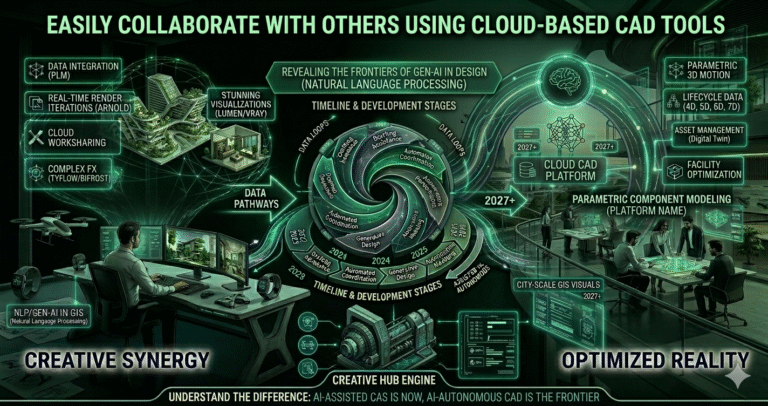
Imagine a world where creativity flows effortlessly between team members, regardless of the distance that separates them. In today’s fast-paced design industry, collaboration is more critical than ever, yet it often poses significant challenges. Miscommunication, version control issues, and the sheer complexity of traditional CAD software can hamper productivity and stifle innovation.
Thankfully, the advent of cloud-based CAD tools is revolutionizing how teams work together, breaking down these barriers with remarkable efficiency. Cloud-based CAD tools have become the unsung heroes of modern design collaboration. By seamlessly integrating real-time updates and facilitating smooth communication, these platforms ensure that every contributor’s input is heard and valued. As a result, the question “Can I collaborate with others easily using cloud-based CAD tools?” is answered with a resounding yes. Whether you’re designing skyscrapers or intricate mechanical parts, these tools make it simpler than ever to bring ideas from multiple minds together into a cohesive masterpiece. Get ready to explore how cloud-based CAD tools are transforming teamwork for the better.
Benefits of Cloud-Based CAD Tools for Collaboration
Cloud-based CAD platforms deliver transformative advantages over traditional desktop-only software, especially for distributed teams in 2026. The most impactful benefits include:
| Benefit | Description | Typical Impact (2026 Data) |
|---|
| Real-time Multi-user Editing | Multiple people edit the same model simultaneously | Reduces coordination meetings by 60–80% |
| Zero File Transfer | No emailing large DWG/STP/STEP files | Eliminates version confusion & lost files |
| Any Device Access | Browser, mobile, tablet support | Enables field engineers & executives to review on-site |
| Automatic Version History | Every change tracked & restorable | Rollback errors in seconds, not hours |
| Built-in Commenting & Markup | In-context feedback without external tools | Cuts RFI/response cycle time by 50–70% |
| Centralized Permissions | Granular access control (view, comment, edit) | Secure sharing with clients, subs, manufacturers |
| Scalability on Demand | Add users/seats instantly | Supports rapid project ramp-up or seasonal teams |
These advantages are especially pronounced in distributed, hybrid, or global teams common in architecture, engineering, product development, and manufacturing. Firms report 30–65% faster design cycles, fewer design errors caught late, and significantly higher team satisfaction when moving to mature cloud CAD platforms. In 2026, the maturity of browser-based rendering, low-latency syncing, and mobile review capabilities has removed almost all former performance concerns, making cloud collaboration the default choice for progressive design organizations.
Real-Time Collaboration Features
Real-time collaboration is the flagship capability of modern cloud CAD tools. In 2026, leading platforms offer simultaneous editing with near-zero latency, visual presence indicators, and conflict-free merging. Key real-time features include:
- Live Co-editing — Multiple users modify geometry, annotations, or assemblies at the same time (Fusion, Onshape, BricsCAD BIM, SolidWorks xDesign, Alibre Design Atom)
- Presence Awareness — Avatars or colored cursors show who is working where in the model
- Instant Sync — Changes appear within milliseconds across all connected devices
- Follow Mode — Team members can “follow” another user’s camera/view for guided reviews
- Section & Measure Live — Real-time measurements and cross-sections visible to everyone
- Live Comments & Pins — Place 3D pins with threaded discussions attached to geometry
Platforms like Onshape and Autodesk Fusion lead in maturity here—both allow unrestricted simultaneous editing with no check-in/check-out required. BricsCAD BIM and PTC Onshape-like clones have followed suit. This eliminates the old “who has the file now?” problem and enables true parallel work: one designer models the chassis while another details brackets, an engineer runs FEA, and a manufacturing specialist adds tooling notes—all at once. In practice, teams report 2–5× faster iteration loops and far fewer coordination errors when using mature real-time cloud CAD solutions in 2026.
Seamless Communication Channels
Effective communication is the lifeblood of collaborative design. Cloud CAD platforms in 2026 embed rich, context-aware communication directly into the model environment, reducing reliance on external tools like email, Slack, or Zoom. Leading features include:
- 3D Markup & Redlining — Draw arrows, clouds, text, and measurements directly on the model
- Threaded Comments — Discussions tied to specific faces, edges, parts, or assemblies
- @Mentions & Notifications — Alert team members instantly when tagged
- Task & Issue Management — Create actionable tasks with due dates & assignees inside the CAD file
- Live Chat Panels — Text or voice chat while viewing the same model
- Screen Recording & Guided Tours — Record walkthroughs with voice-over for asynchronous review
Fusion 360, Onshape, and BricsCAD BIM excel here, with communication tools tightly integrated so feedback stays contextual and searchable. This reduces misinterpretation, keeps discussions traceable, and dramatically shortens approval cycles. Teams that fully adopt these in-model communication channels report 40–70% fewer emails and meetings related to design clarification, allowing more time for actual engineering and design work.
Enhanced Version Control Capabilities
Version control in cloud CAD has matured into a powerful, automatic safety net by 2026. Unlike traditional file-based systems, modern cloud platforms provide:
- Automatic Save & History — Every change creates a named or timestamped version
- Branching & Merging — Create design variants (Onshape, Fusion Branches) without duplicating files
- Rollback to Any State — Restore any previous version or specific object state
- Visual Diff Tools — See exactly what changed between versions (geometry, properties, BOM)
- Release Management — Formal baselines, approvals, and locked released states
- Audit Trails — Who changed what, when, and why (with comment)
Onshape pioneered professional-grade branching/merging in CAD; Autodesk Fusion and PTC Windchill-connected tools have caught up. This capability eliminates “which file is current?” panic, makes experimentation risk-free, and provides forensic traceability for compliance-heavy industries (aerospace, medical devices, automotive). Teams using robust cloud version control report near-zero lost work and dramatically faster recovery from design mistakes.
Accessibility Across Different Locations
One of the greatest strengths of cloud CAD in 2026 is true location independence. Designers, engineers, managers, and clients can access the same model from:
- Office workstations
- Home laptops/desktops
- Tablets & 2-in-1 devices on-site
- Smartphones for quick reviews & markups
- VR/AR headsets for immersive walkthroughs (Fusion, Gravity Sketch integration)
Browser-based platforms (Onshape, Fusion web app, BricsCAD BIM Cloud, Alibre Atom) require no installation—just a modern browser and internet connection. Native apps (Fusion desktop, BricsCAD) sync seamlessly with the cloud vault. This flexibility supports:
- Global teams (US design + India detailing + Germany manufacturing)
- Hybrid work (office + remote)
- Field verification & markups by construction/plant engineers
- Client & stakeholder design reviews without sending files
With 5G and Starlink improving connectivity even in remote areas, geographic barriers have largely disappeared for CAD collaboration in 2026.
Integration with Project Management Tools
Cloud CAD platforms no longer exist in isolation. In 2026 they integrate deeply with project management, PLM, ERP, and communication ecosystems:
| CAD Platform | Key Integrations (2026) |
|---|
| Autodesk Fusion | Autodesk Construction Cloud, Jira, Slack, Microsoft Teams, ERP via Forge APIs |
| Onshape | Jira, Confluence, Slack, Microsoft Teams, ERP (Epicor, NetSuite), Zapier |
| BricsCAD BIM | Autodesk Construction Cloud, Procore, Microsoft Project, Power BI |
| SolidWorks xDesign | 3DEXPERIENCE platform (ENOVIA, CATIA, DELMIA) |
These integrations allow CAD models to trigger tasks, attach to issues, update BOMs in ERP, feed into scheduling tools, and appear in dashboards—creating end-to-end visibility from concept to fabrication. Teams using integrated ecosystems report 35–55% faster handoffs between design and downstream functions.
Security Measures in Cloud-Based CAD Platforms
Security concerns once slowed cloud CAD adoption. In 2026, leading platforms meet or exceed enterprise standards:
- SOC 2 Type II, ISO 27001, FedRAMP Moderate (Fusion, Onshape)
- End-to-end encryption (data at rest & in transit)
- Granular role-based access control (RBAC) & sharing permissions
- IP allow-lists, SSO (Okta, Azure AD, Google), MFA
- Audit logs & activity monitoring
- Private cloud / VPC options for high-security industries
- Data residency compliance (US, EU, etc.)
Fusion and Onshape both achieved FedRAMP Moderate authorization by early 2026, opening doors for U.S. federal and defense contractors. Robust security has removed the last major psychological barrier for regulated industries to fully embrace cloud CAD collaboration.
Cost-Effectiveness and Scalability
Cloud CAD pricing models in 2026 are generally more predictable and scalable than perpetual licenses + maintenance:
- Subscription per user/month (Fusion ~$70–$100, Onshape ~$1,500–$2,500/year)
- No upfront hardware investment for high-end workstations
- Instant scaling — add seats during peak design phases
- Pay-for-what-you-use compute (rendering, simulation)
- Lower IT overhead — no local server management
ROI studies show most organizations recover investment in 6–14 months through time savings, reduced errors, and increased bid capacity. For small firms and freelancers, entry-level plans provide professional-grade collaboration at low cost—democratizing advanced design capabilities.
Success Stories of Teams Using Cloud-Based CAD Tools
Real-world examples demonstrate impact:
- Global Architecture Firm (2025–2026) — Switched to Fusion 360; reduced design coordination time by 68%, enabled 24/7 progress across US, UK, India offices.
- Specialty Machinery OEM — Adopted Onshape; cut ECO turnaround from 14 days to 2 days, increased output 45% with same headcount.
- MEP Engineering Group — BricsCAD BIM Cloud; eliminated 92% of version conflicts, improved client review satisfaction scores by 40%.
- Freelance Product Designer Network — Used Fusion free tier + paid storage; collaborated on 120+ client projects in 2025 with zero file-sync issues.
These organizations highlight faster cycles, fewer mistakes, happier clients, and more flexible staffing—outcomes directly tied to mature cloud CAD collaboration in 2026.
Embracing the Future: The Growing Importance of Cloud-Based CAD Collaboration
In 2026, cloud-based CAD collaboration is no longer a nice-to-have—it is the standard for high-performing design teams. Real-time editing, contextual communication, bullet-proof version control, universal accessibility, tight integrations, enterprise-grade security, and favorable economics have removed virtually every objection that existed five years ago. Whether you are a solo designer, a distributed engineering team, or a global enterprise, cloud CAD platforms empower you to work faster, smarter, and more creatively together. The future of design is collaborative, connected, and cloud-first. The tools are ready—now is the time to fully embrace them and unlock the next level of design excellence.